Run your CA practice.
Stop chasing documents.
Engagements, due dates, time, billing, GST portal data, a DSC register and a branded client portal in one workspace, with an AI assistant that asks before it acts.
No card. Never converts on its own. Clients use the portal free.
Built for: ITR-1 to ITR-7, Tax audit (Form 3CD), Statutory audit, GSTR-1 and GSTR-3B, GSTR-9 and 9C, TDS returns (24Q, 26Q), ROC filings (AOC-4, MGT-7), LLP Form 8 and 11, Internal audit, Bookkeeping, Transfer pricing, Form 10B and 80G
- 3 months
- free, no card, never auto-converts
- ₹0
- per client in the portal, ever
- 6 roles
- enforced row by row in the database
- ₹12,000/yr
- for the first 5 users, +GST
Client portal
ITR season, minus the follow-ups.
Send a checklist instead of ten reminder calls. Clients answer and upload from their phone, MyPract follows up on its own, and your team hears the moment it's all in. Under your firm's name and colours.
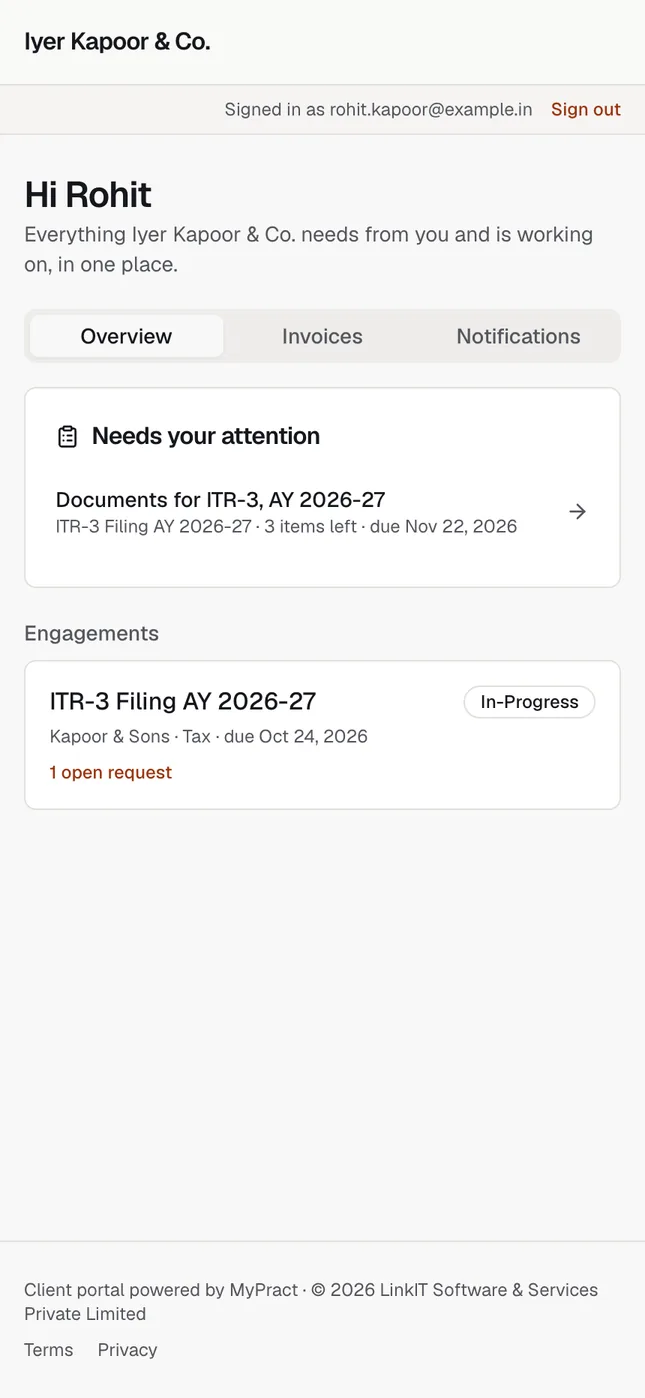
Everything in one place
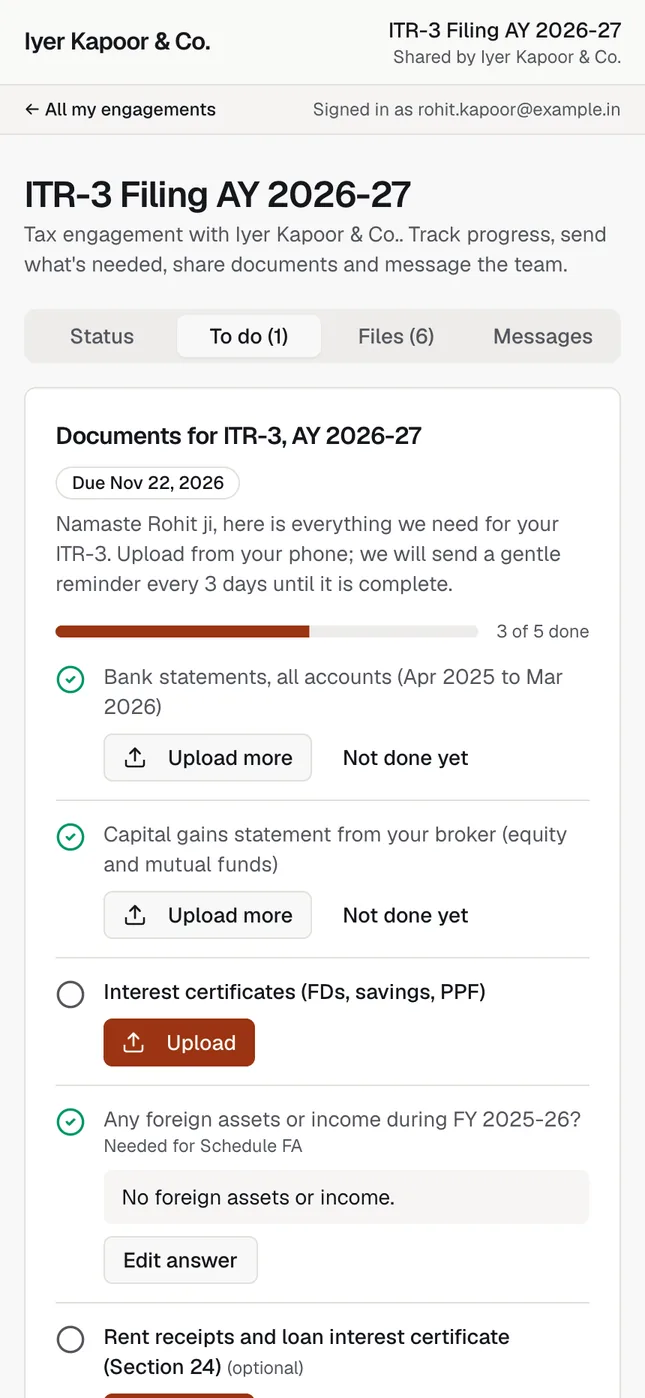
A checklist they can finish
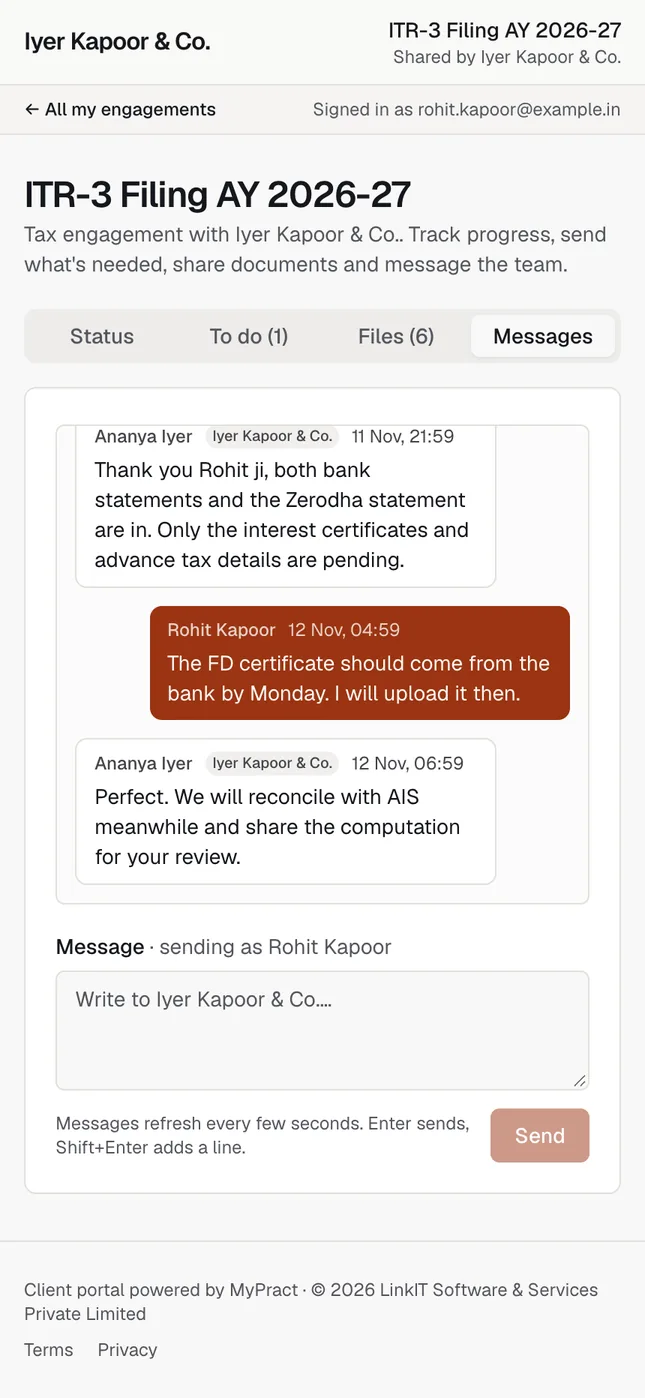
Messages that stay with the work
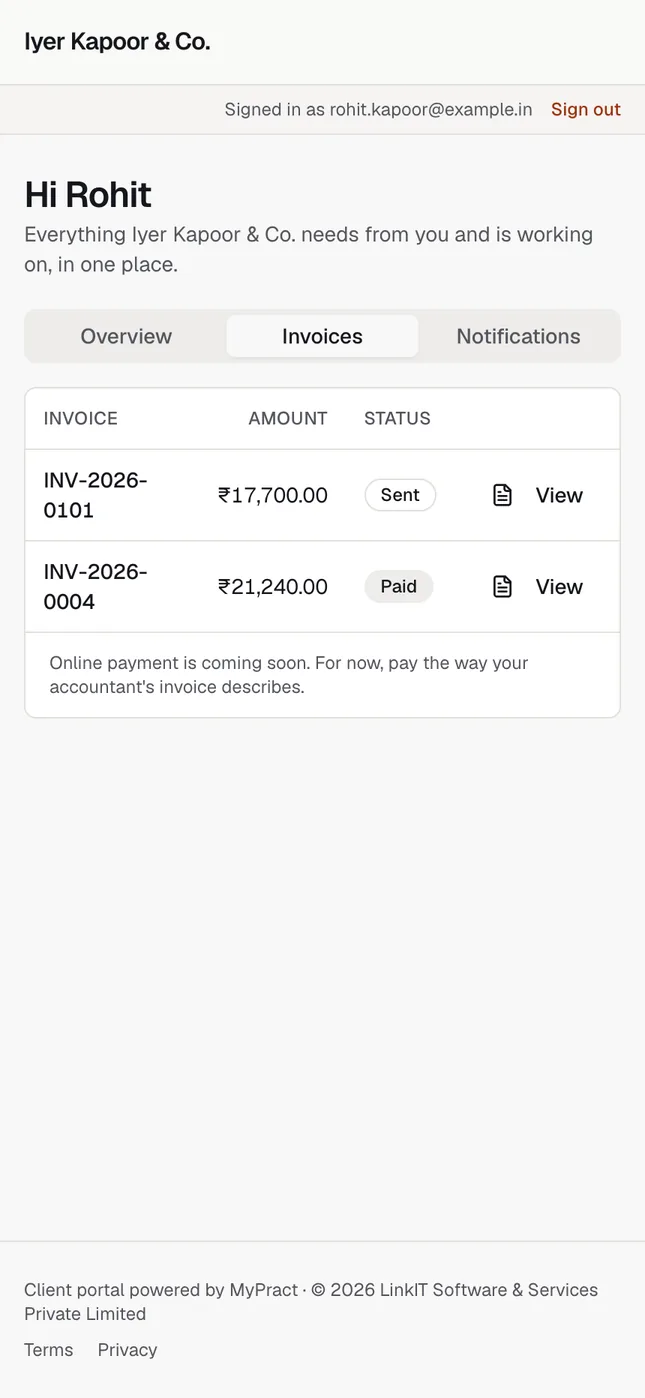
Invoices, ready to print
One sign-in for every engagement
Clients open your portal with a 6-digit code sent to their email. No password, no app to install, any phone or laptop browser.
Checklists, not WhatsApp forwards
Ask for bank statements, the capital gains statement and a straight answer in one request. Each item is an upload or a question.
Reminders that send themselves
Pick how often (say, every 3 days) and how many times. Reminders stop the moment the last required item is in.
Done moves the work forward
When the request is complete, MyPract emails your team and can move the linked task to Review, so the computation starts the same day.
Invoices in the same place
Clients see sent, overdue and paid invoices for the entities they belong to, with GST, and can print them. You can switch this off.
Updates on their terms
Each client chooses instant updates, a daily digest or requests only. Requests and their reminders always get through.
Your side of it
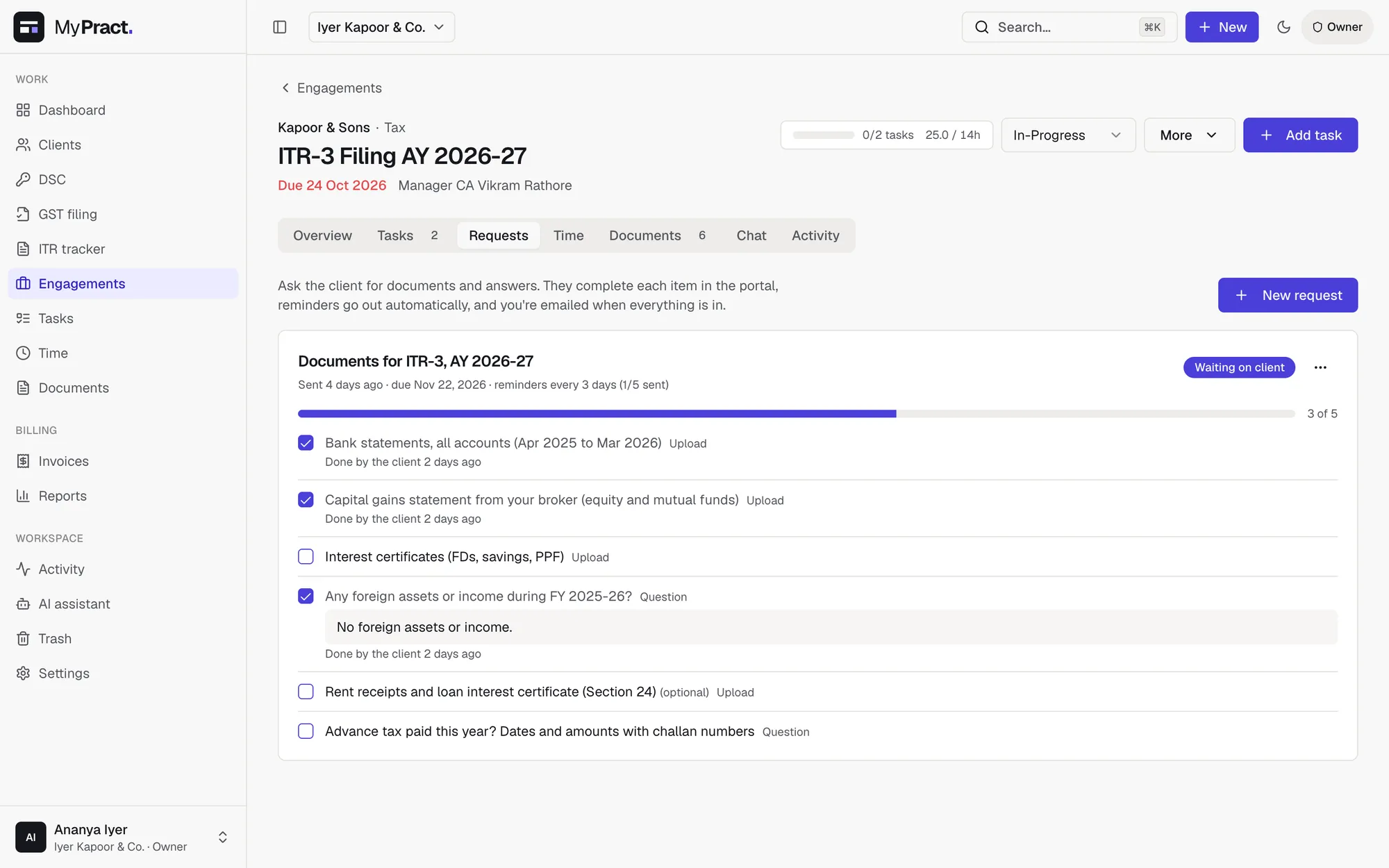
See what's in, what's late and who answered.
Each request lives on the engagement, with every item, upload and answer, who sent it and when. Start from a ready template for ITR documents or this month's GST data, then edit it to fit.
- Uploads land in the engagement's documents, tied to the item they answer
- Tick an item off yourself when it arrives another way
- Send a reminder now, or let the schedule do it
Your brand
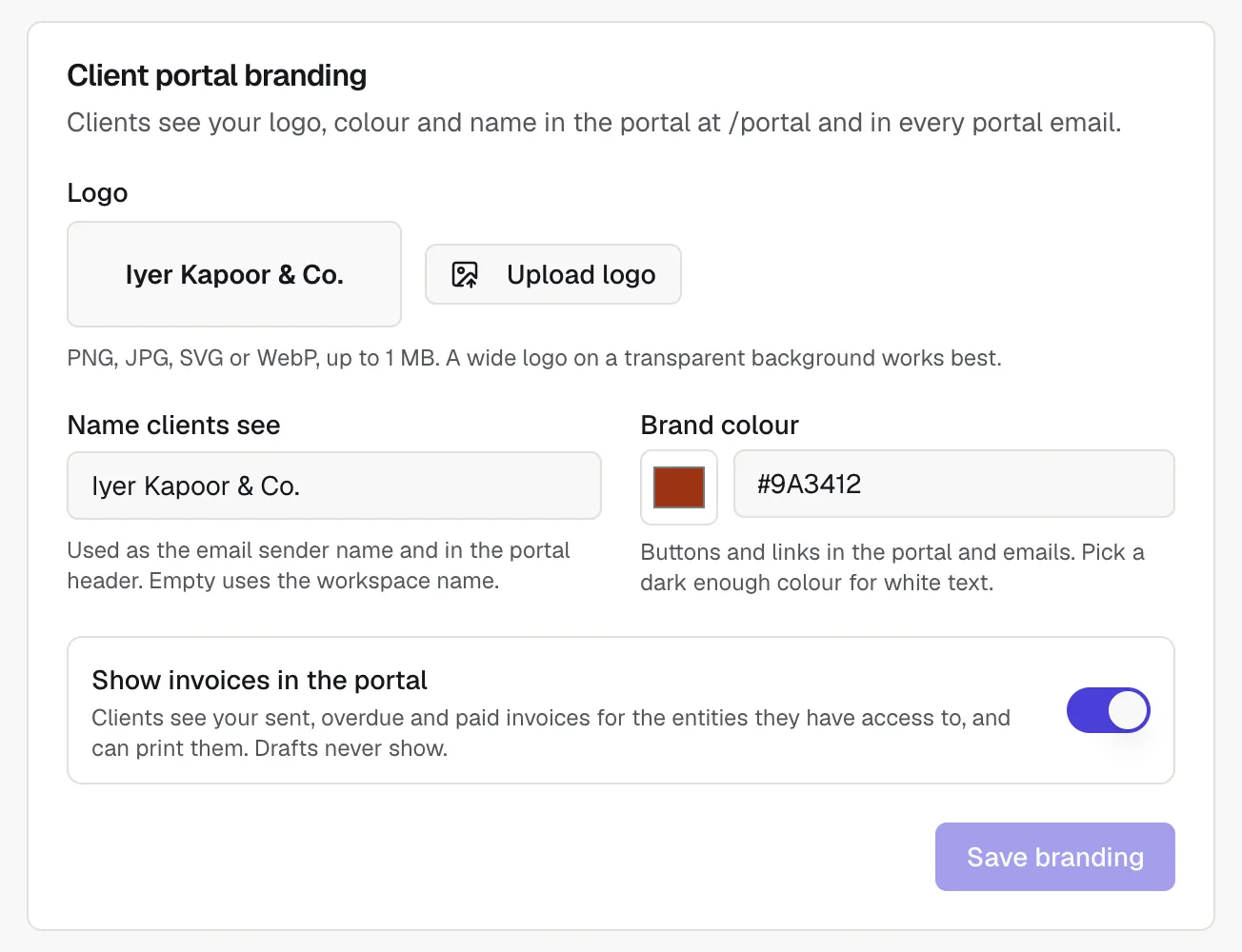
Your logo. Your colour. Your name on every email.
Clients see Iyer Kapoor & Co., not us. Your logo and accent colour carry through the portal and every request, reminder and update email, sent under your firm's name.
E-signature isn't switched on yet. Until it is, share engagement letters and representation letters as PDFs in the portal and collect them signed, so the whole conversation still lives in one place.
Made for Indian practice
GST, DSCs and the regime question, built in.
The work every CA firm does around the portals, in the same workspace as the engagement. Nothing is filed from MyPract.
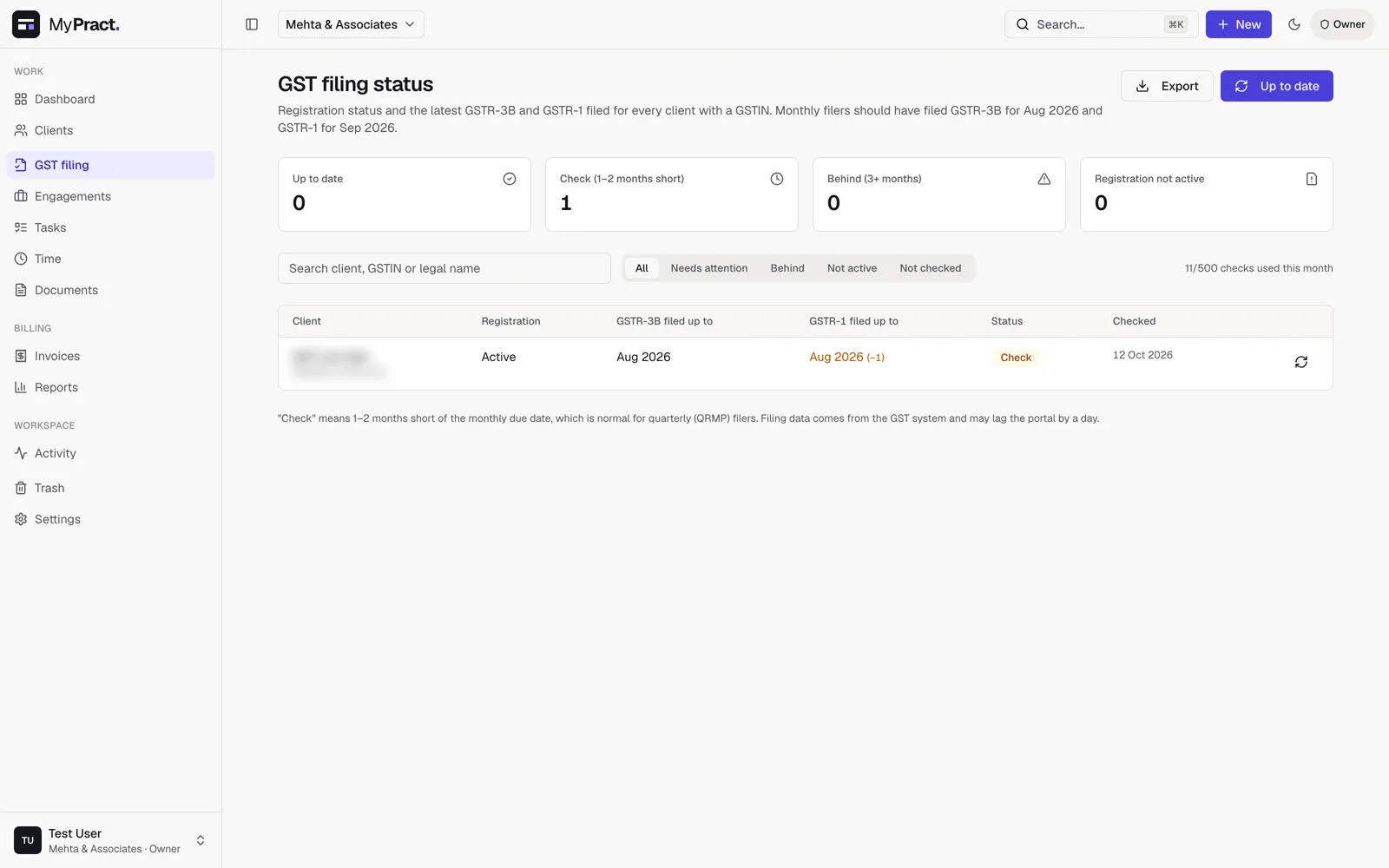
GST filing status for every client
GSTR-1 and GSTR-3B status for every client with a GSTIN, so you see who is behind before the due date. Read-only, through a GSTN-licensed GST Suvidha Provider.
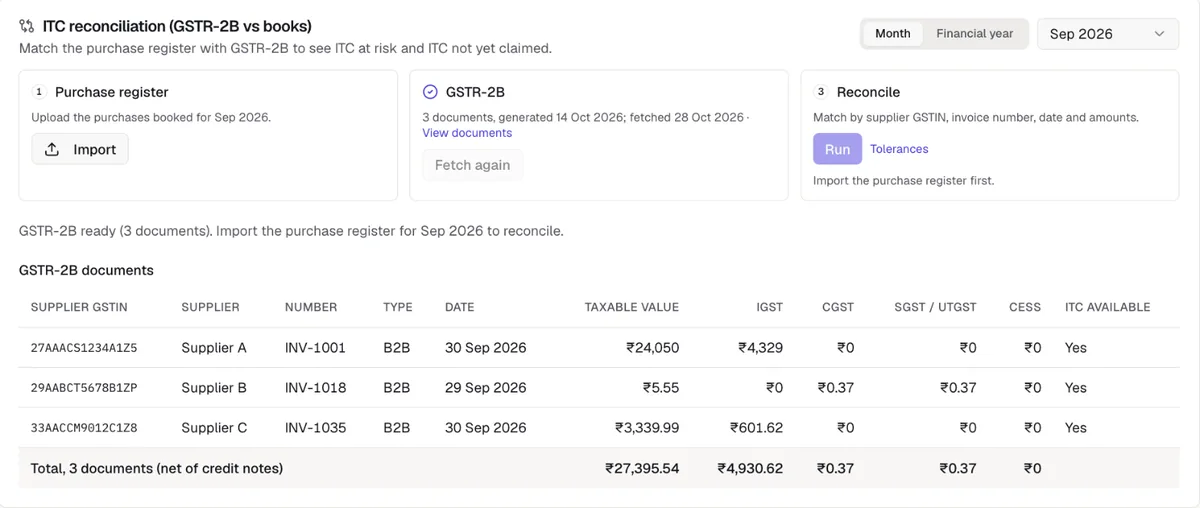
Reconciliation before GSTR-3B and GSTR-9
After a one-time client consent: notices turned into tasks, cash and credit ledgers, GSTR-2B against the purchase register, GSTR-2A, and an annual view month by month.
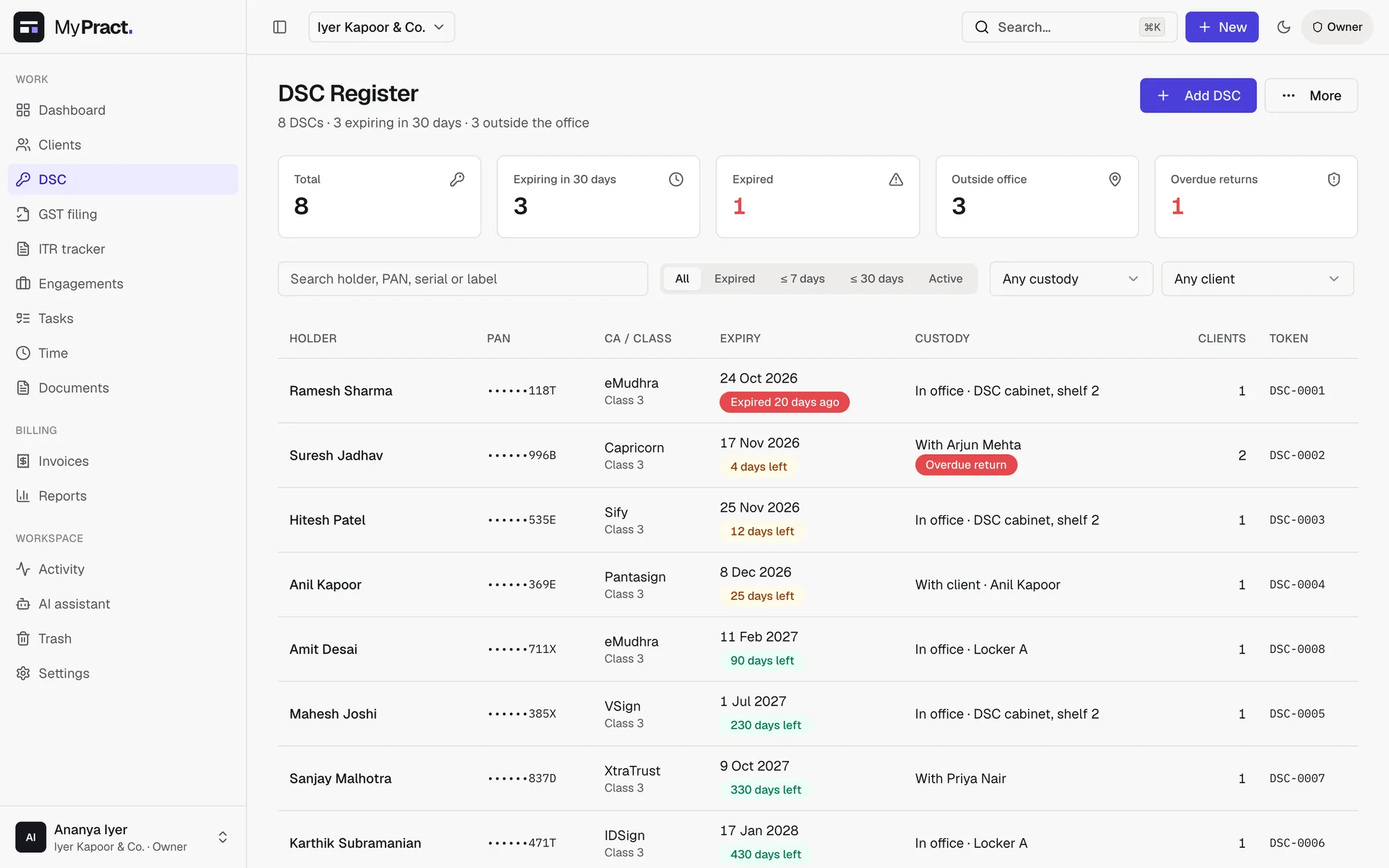
A DSC register that knows where the token is
Holder, class and expiry for every certificate, check-out and check-in with history, and a usage log. Token PINs are never stored.
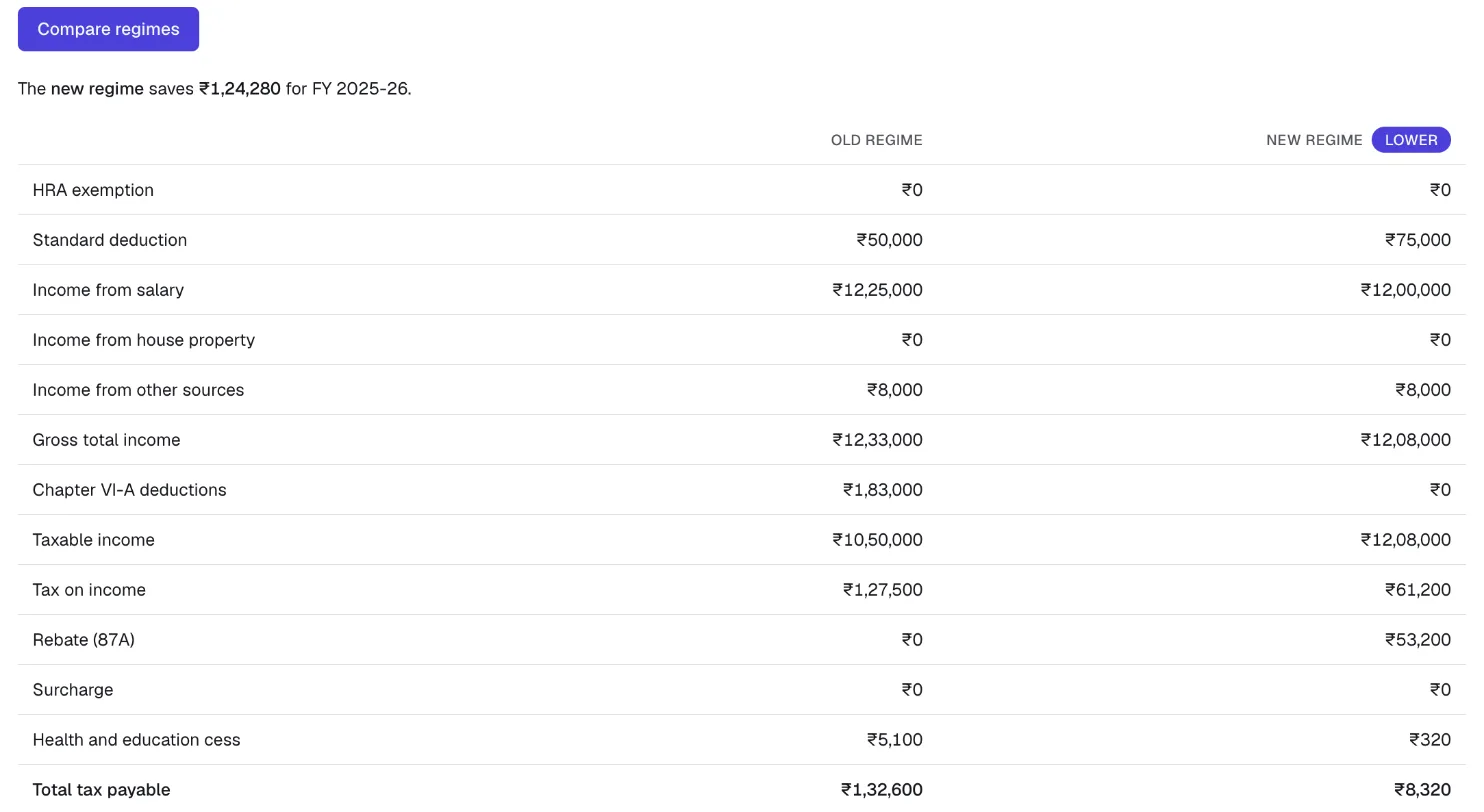
Old vs new regime, side by side
Enter salary, house property, other income and Chapter VI-A deductions, and see the tax under both regimes with rebate, surcharge and marginal relief.
Two minutes
See a working day in MyPract.
Real MyPract screens with sample data. Client identifiers in the GST scenes are blurred.
The product
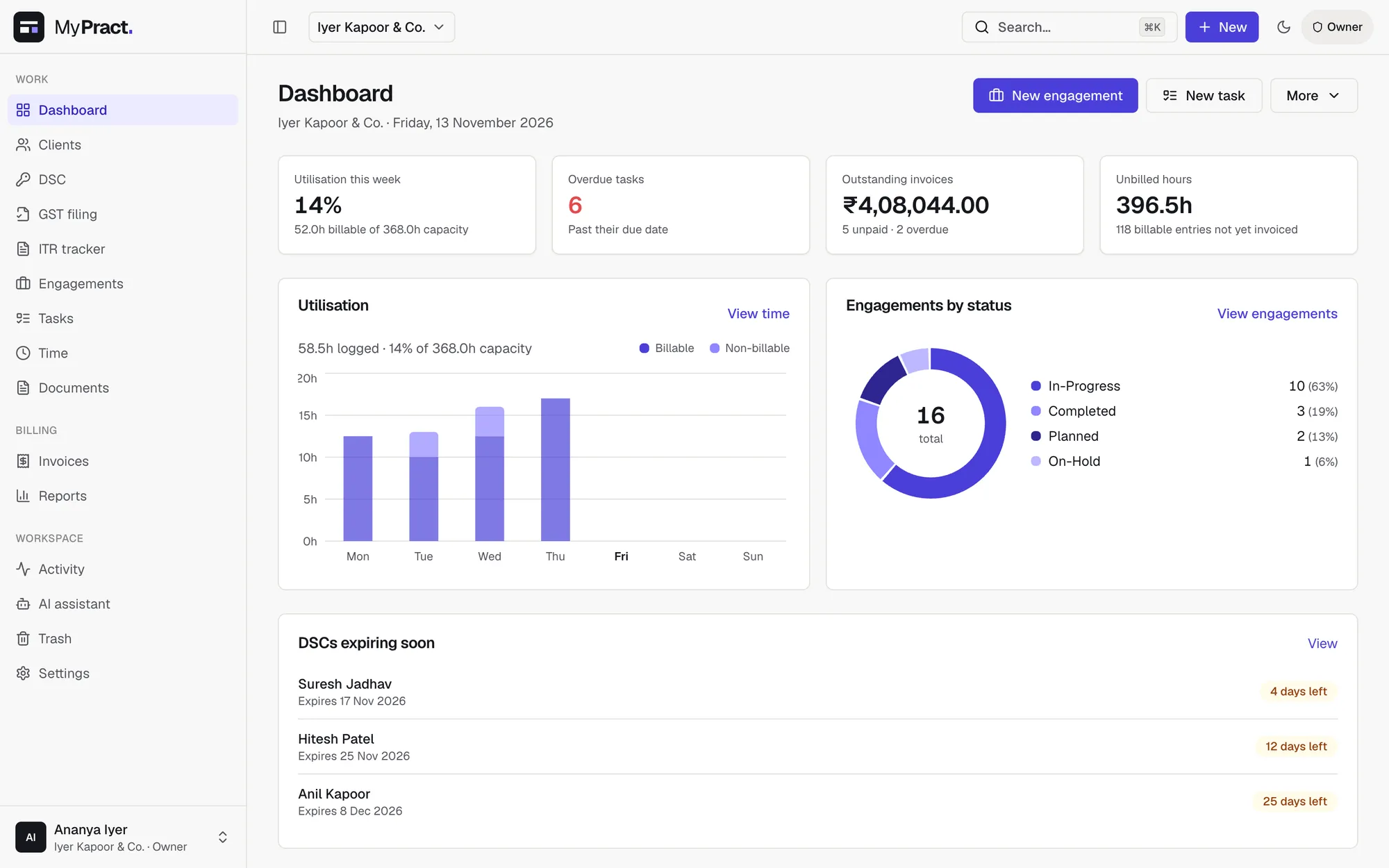
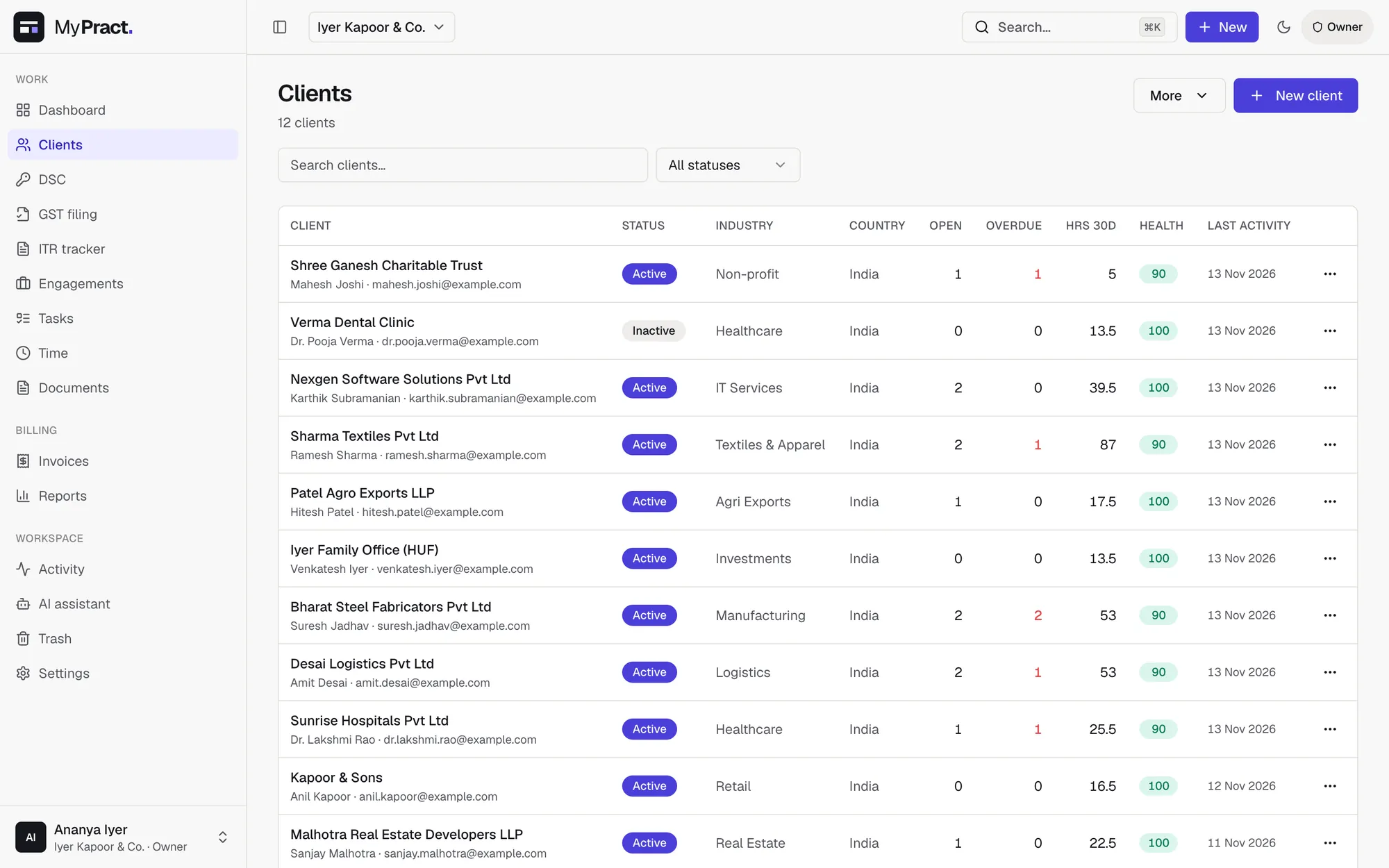
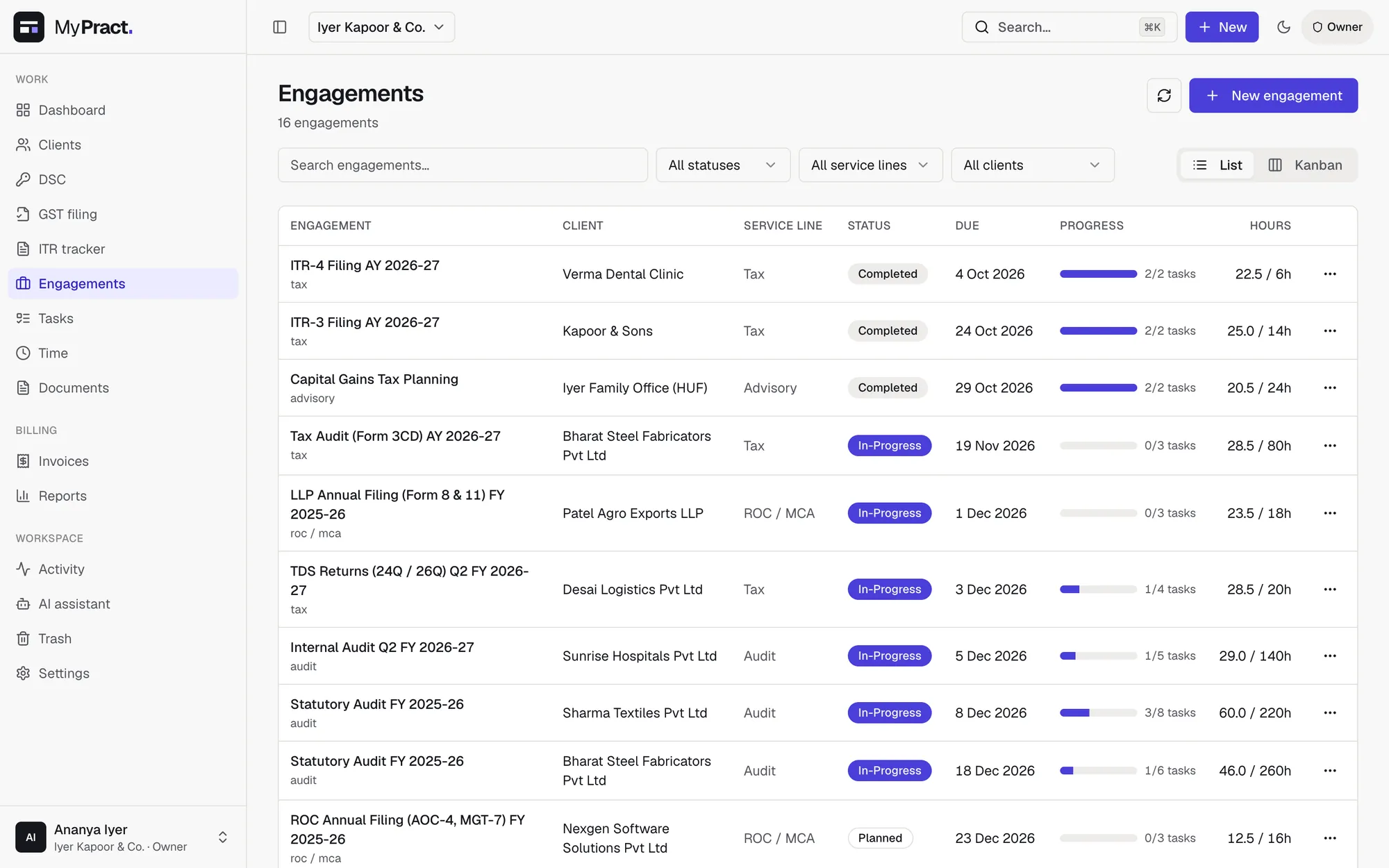
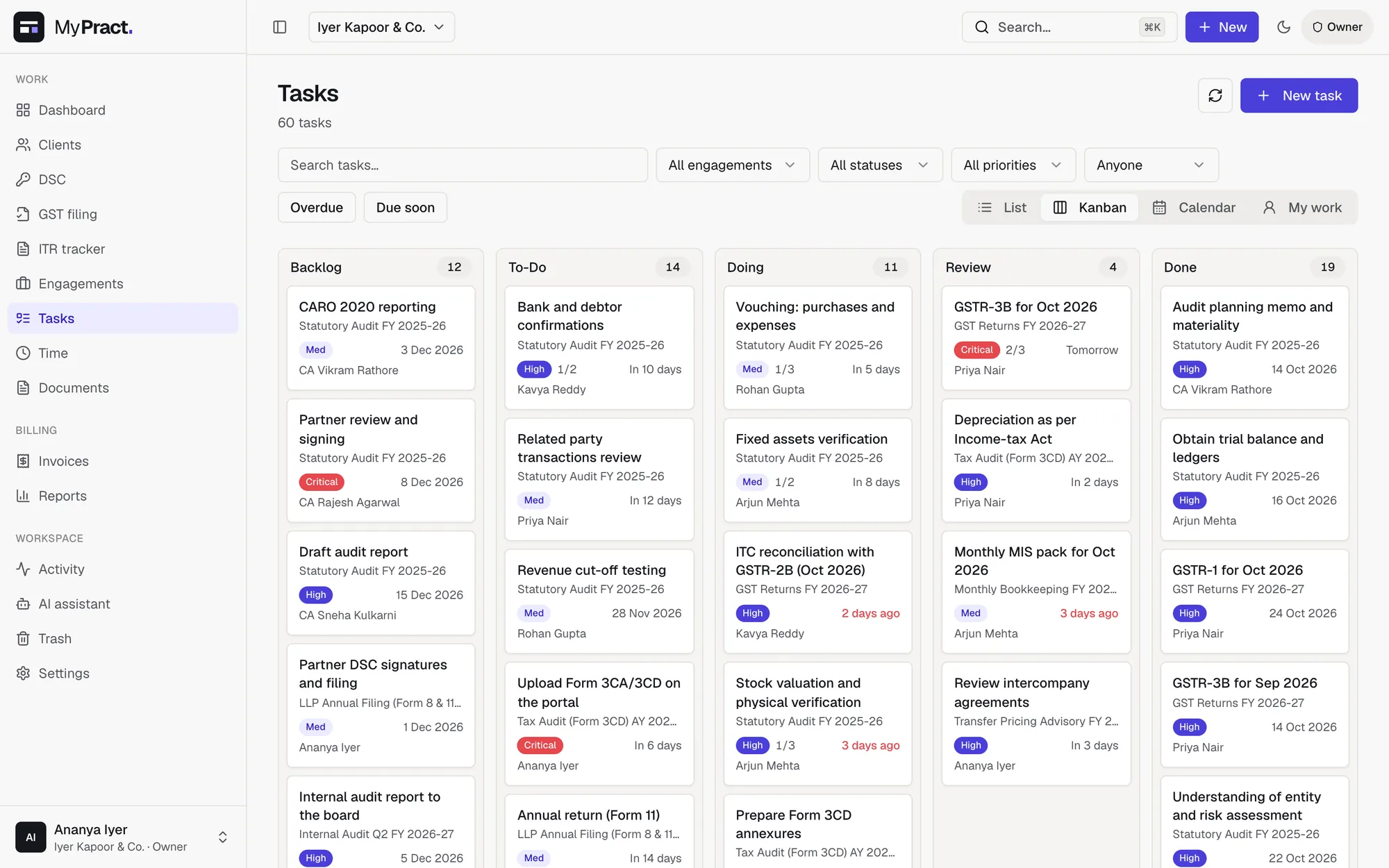
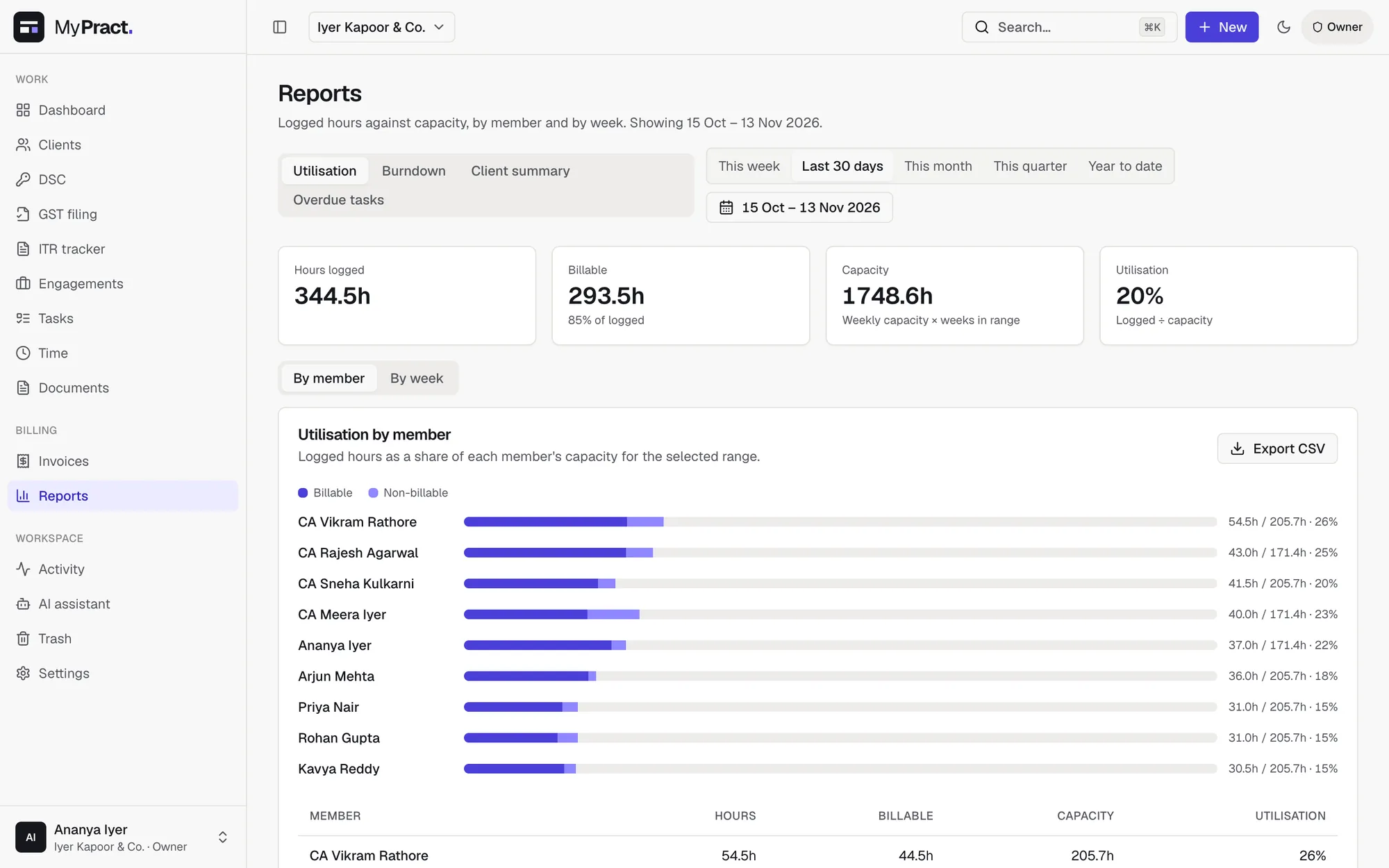
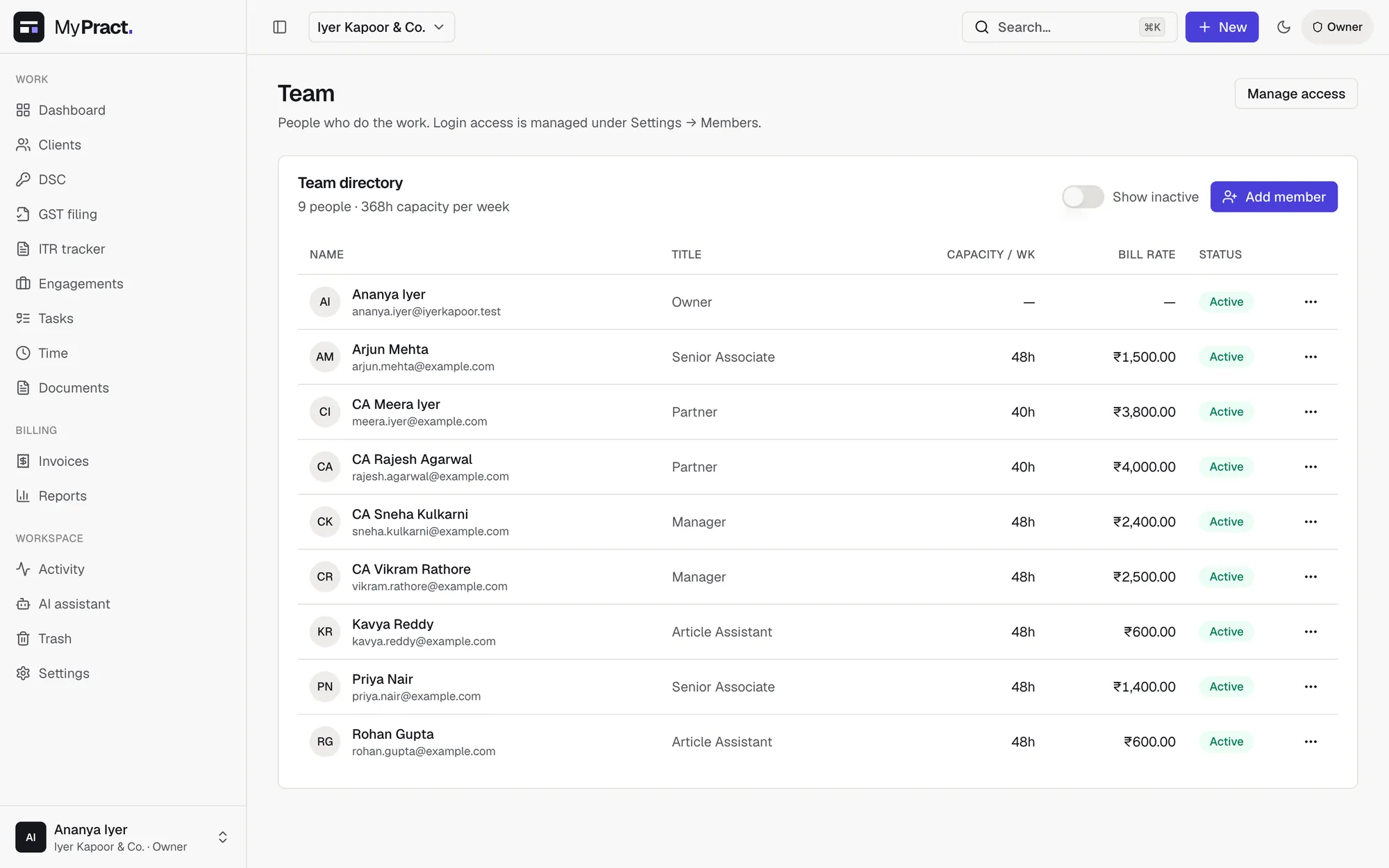
One workspace for the whole practice.
Real screens, from a fictional firm with twelve clients and sixteen engagements.
Built in, not bolted on
The details partners ask about in the demo.
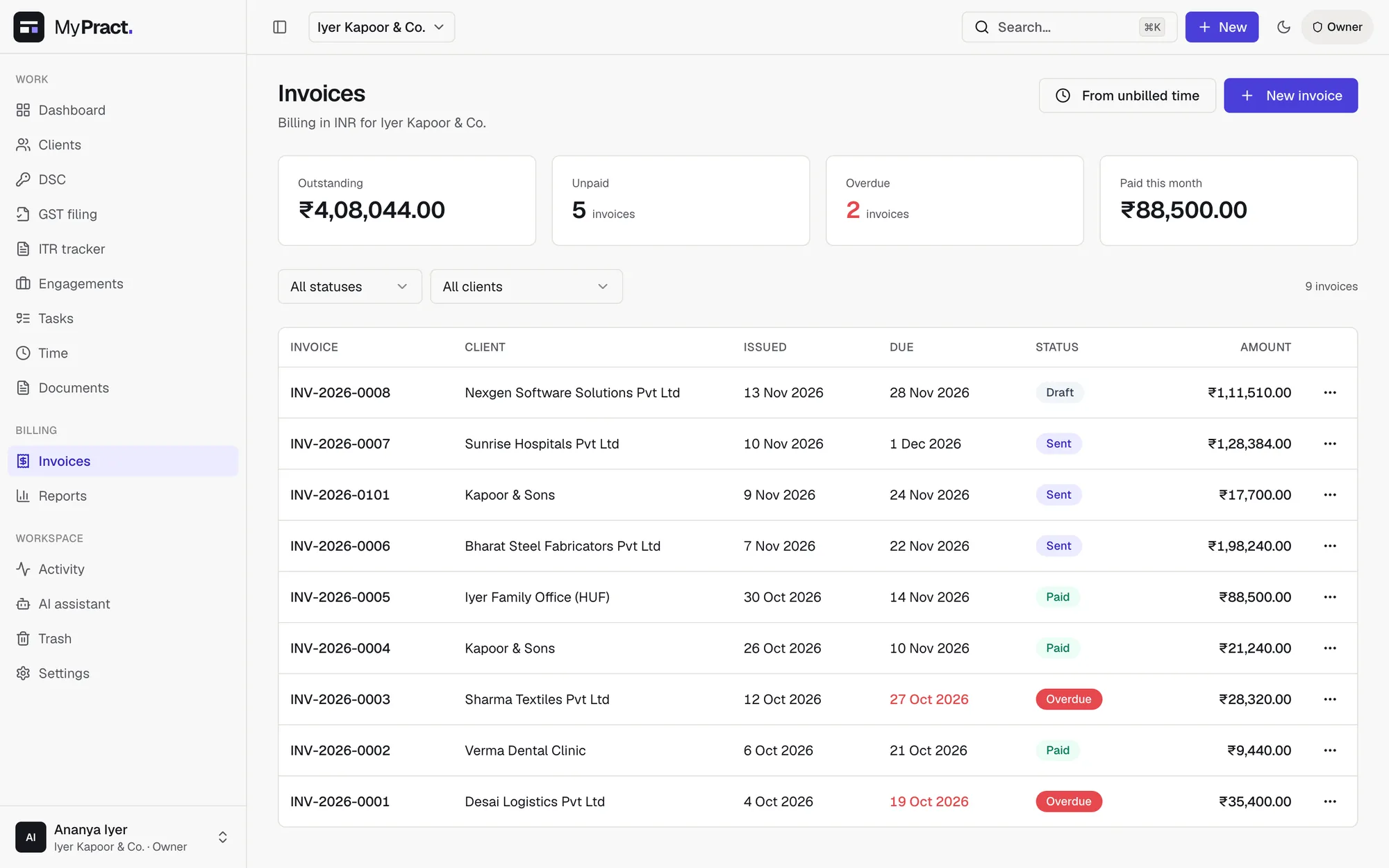
Time you can bill without arguing about it
Timesheet or timer, logged to the task. Managers approve, periods lock, and approved hours turn into a GST invoice at the right rate.
Security in the database, not the UI
Every row belongs to one firm, and Postgres row-level security checks access on every request, for people and AI alike. Data stays in Mumbai.
- owner · admin · manager
- staff · viewer · client
- + limit to selected clients
Documents with a memory
Folders by client and engagement, version history, in-browser preview and download links that expire.
An activity log for everything
Who changed what, when, and through which agent. Deleted work goes to Trash and can be restored.
Switch over in an afternoon
Import clients from Excel or CSV and past timesheets from CSV. Every row is checked before it's saved.
From request to paid
One engagement, start to finish.
- 01
Request
Send a checklist from a ready template: ITR documents or this month's GST data.
- 02
Collect
The client uploads from their phone. Reminders go out until it's done.
- 03
Prepare
The task moves to Review. Your team works the engagement on the board.
- 04
Track
Time logged to the task, approved by a manager, locked at period end.
- 05
Bill
Approved time becomes a GST invoice, and the client sees it in the portal.
AI, with a partner's caution
Ask the practice anything. It asks before it acts.
The assistant reads across clients, engagements, tasks, time, invoices and documents, then creates or updates work when you confirm. It can't approve time, change roles or settings, or send email.
Already use Claude or ChatGPT? Connect it to MyPract over MCP. It signs in as you, gets the same tools and follows the same rules.
Which ITR clients still owe us documents?
Two ITR requests are still waiting on the client:
- Kapoor & SonsInterest certificates, advance tax3 of 5 done
- Verma Dental ClinicForm 16, AIS1 of 4 done
Ask Meera to call Rohit ji on Monday.
Confirm change
Create task “Call Rohit Kapoor about pending documents” on ITR-3 Filing AY 2026-27, assigned to CA Meera Iyer, due Mon 16 Nov.
ConfirmCancel
Illustration. The assistant answers from your records and changes nothing until you confirm.
Your permissions
The assistant and any connected agent act as you, with exactly your role. An article's agent can't invoice.
Your click
Every create, update or delete is shown first and runs only when you confirm. Reading needs no confirmation.
Your audit trail
Every change is in the activity log, with the agent's name when one was used. Deletions go to Trash.
Your off switch
Owners and Admins can turn AI off for the firm and disconnect any agent at any time.
Pricing
One plan. It gets cheaper as you grow.
Billed yearly, excluding 18% GST. Plans don't renew on their own. A 12-person firm pays ₹12,000 + 7 × ₹4,800 = ₹45,600/year + GST.
First 5 users
₹12,000per year, flat
A sole practitioner or a small team pays this and nothing more.
Users 6 to 30
₹4,800per user per year
Only the users in this band pay this rate.
Users 31+
₹4,000per user per year
Larger firms pay less for every user above 30.
Included for everyone
No setup fee, no per-module pricing, and clients in the portal are never counted as users.
Start free for 3 months- Every India module, for every user
- Client portal, requests and reminders
- GST portal data and the DSC register
- AI assistant and connected agents
- 500 MB of documents; 10 GB packs at ₹1,200/year
- Email support
Straight answers
What's next, and what we don't do yet.
You'll find out in the first week anyway. Better you hear it from us.
E-signatureNext
Built, not yet switched on. Until then, share the PDF in the portal and collect it signed.
Collecting paymentsNext
Clients see their invoices in the portal; online payment comes next. Today, payment happens outside MyPract.
WhatsApp remindersNext
Reminders go by email today.
Filing returns
MyPract doesn't file GST, income tax or TDS returns. GST portal data is read-only.
Tally and UDIN
No Tally or ledger integration, and no UDIN tracking.
Native mobile apps
MyPract and the portal run in any phone browser instead.
Is MyPract built for CA firms?
Yes. Indian workspaces bill in rupees and add GST portal data, a DSC register and the old vs new regime comparison to everything else, with request templates for ITR documents and monthly GST data.
What does the client portal cost?
Nothing extra. Clients are never charged as users, and every plan includes the portal, requests, reminders and your branding.
Does MyPract file GST or income tax returns?
No. It reads GST portal data (filing status, notices, ledgers, GSTR-1, GSTR-2A and GSTR-2B) through a GSTN-licensed GST Suvidha Provider, but files nothing, and it doesn't connect to the Income Tax or TRACES portals.
Where is our data stored?
In India: everything runs in the Mumbai region (AWS ap-south-1) through Supabase. Every row belongs to one workspace and access is enforced in the database with row-level security. The privacy policy is written for the DPDP Act 2023.
How does the AI work, and where does our data go?
The assistant reads your records with your permissions and makes changes only after you confirm. The text it works on is sent to Anthropic's Claude API, outside India. Owners and Admins can switch AI off for the whole firm.
Can we bring our client list?
Yes. Import clients from Excel or CSV, up to 2,000 per file, and past timesheets from CSV. GSTIN and PAN formats, emails and duplicates are checked before anything is saved.
Does the trial turn into a paid plan?
Never on its own. Three months free, no card, and it starts only when an Owner or Admin accepts the trial terms. Plans are billed yearly and don't auto-renew.
Be ready before the next due date.
Set up your firm, import your clients and send your first request this week. Three months free.